Microsoft Fabric
What Is Microsoft Fabric? A Practical Guide for Data Engineers
How Microsoft Fabric works in practice: OneLake, Lakehouse, Warehouse, Data Factory, Eventhouse and Power BI, how they fit together, and when Fabric is the right platform.
On this page
Microsoft Fabric is a single analytics platform where you can bring data in, store it, transform it, analyze it and report on it without wiring separate services together. You sign in to one portal, your data lives in one shared lake, and the tools for data engineering, SQL, real-time analytics and Power BI all work on that same data.
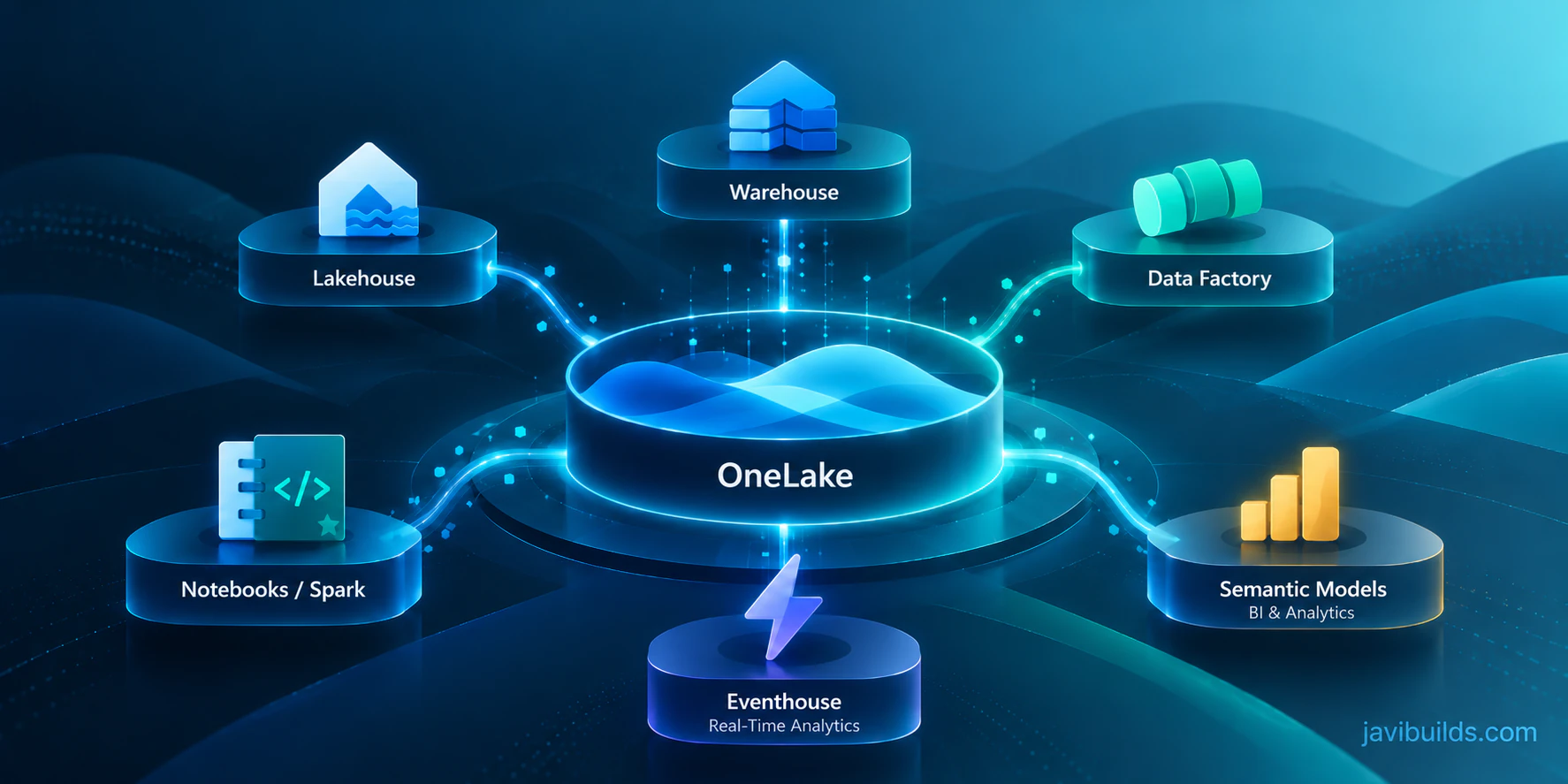
That shared lake is OneLake. On top of it, Fabric runs several workloads: Data Factory for ingestion and orchestration, Spark notebooks and Lakehouses for data engineering, a T-SQL Warehouse, Real-Time Intelligence for streaming and event data, and Power BI for semantic models and reports. They share storage, security, compute capacity and billing, so a table written by one engine can be read by the others without being copied.
If you come from SQL Server, Azure Data Factory, Synapse, Databricks or Power BI, almost every individual piece will look familiar. What is new is how tightly they are joined. Fabric is not a replacement for every Azure data service, though: operational databases, mature Databricks platforms and specialized workloads often stay where they are.
This article gives you a working mental model: what each core piece does, how data flows through a typical solution, and when Fabric is, or is not, a good fit. It is the first step of the Microsoft Fabric learning path; the next tutorials are hands-on.
Microsoft Fabric at a glance
- What it is: a SaaS analytics platform covering data integration, data engineering, warehousing, real-time analytics, data science and business intelligence.
- Storage: OneLake, one logical data lake per tenant, with tables stored in the open Delta Lake format.
- Compute: a shared capacity that every workload draws from.
- Who it suits: teams building analytics and data products, especially those already using Microsoft data tools and Power BI.
- What it does not do: replace your transactional databases or remove the need for data modelling, source control and monitoring.
Start with the Microsoft Fabric hub, continue into scalable Fabric architecture, review governance with Microsoft Purview, or see how the Power BI reporting layer fits.
What Microsoft Fabric is
Microsoft Fabric is an analytics platform delivered as software as a service (SaaS). In one environment it covers ingestion, storage, transformation, real-time processing, data science, warehousing and reporting.
Three ideas hold it together:
- One storage layer. Every workload reads and writes data in OneLake, a single logical data lake per tenant. Tables are stored in the open Delta Lake format, so the same table can be read by Spark, by T-SQL and by Power BI without copies.
- One compute model. Workloads draw from a shared pool of compute called a capacity. You buy capacity, not a cluster, a SQL pool and a Power BI Premium node separately.
- One collaboration and security model. Work is organized in workspaces, people sign in with Microsoft Entra ID, and access is granted through workspace roles and item permissions that apply across workloads.
Everything else, the Lakehouse, the Warehouse, notebooks, pipelines, semantic models and reports, is an item that lives in a workspace, stores its data in OneLake and runs on a capacity.
Why Microsoft created it
Before Fabric, a typical Azure analytics platform was assembled from separate services: Azure Data Lake Storage for files, Data Factory for orchestration, Synapse or Databricks for Spark, a dedicated SQL pool or Azure SQL for serving, and Power BI for reporting. Each one is a capable product. The cost was in the joins between them:
- Data was copied between services, so the same table existed in several places with different freshness.
- Each service had its own security model, networking and identity configuration.
- Each service had its own pricing model, so cost was hard to predict and harder to attribute.
- Teams spent real engineering time on plumbing: linked services, managed identities, private endpoints, storage permissions and integration runtimes.
Fabric’s answer is to keep the engines and remove most of the assembly. The Spark engine, the SQL engine, Power Query and Power BI are still there. What changes is that they share storage and governance by default, so moving data from “ingested” to “reported” no longer means crossing service boundaries.
The SaaS model: what you no longer manage, and what you still do
“SaaS” is easy to read as “no engineering needed”. It means something narrower.
You no longer manage:
- Storage accounts, containers and their permissions for Fabric data. OneLake is provisioned with the tenant.
- Spark clusters for everyday work. Notebooks start on preconfigured pools.
- SQL infrastructure for the Warehouse and the SQL analytics endpoint.
- Patching, upgrades and most of the runtime plumbing between engines.
You still manage:
- Capacity: size, cost, and which workloads compete for it.
- Workspace design: how many workspaces, for which teams and environments.
- Security: who has which role, and which data needs finer-grained protection.
- Engineering quality: data models, code, tests, source control, deployment and monitoring.
The second list is where most Fabric projects succeed or fail. The platform removes infrastructure work, not design work.
Capacity: the compute you pay for
A capacity is a dedicated pool of compute, measured in capacity units (CUs). In Azure you buy it as an F SKU (F2, F4, F8 and up). Some organizations still run Fabric items on an existing Power BI Premium (P) capacity, but Microsoft is moving customers to F SKUs, so new designs should assume F. Microsoft also offers a time-limited trial capacity for learning.
Every workspace is assigned to a capacity, and every operation in that workspace consumes CUs from it: a notebook run, a pipeline copy, a Warehouse query, a semantic model refresh, even a report render.
Three practical consequences:
- Workloads share the same pool. A heavy Spark job and an executive dashboard on the same capacity compete with each other. This is the most common surprise for teams new to Fabric.
- Fabric smooths usage over time. Short bursts above the capacity size are allowed and spread over a longer window. Sustained overuse leads to throttling: interactive work slows down first, and in severe cases requests are rejected until usage recovers.
- F SKUs can be paused and resized in Azure. A development capacity that only runs during working hours can be paused overnight.
The Capacity Metrics app shows what consumed your CUs. Install it early, before you need it. Microsoft Fabric Capacity Explained covers smoothing, throttling stages and how to investigate a spike.
OneLake: one lake per tenant
OneLake is the storage layer under everything. Each tenant has exactly one, built on Azure Data Lake Storage Gen2, and you never create or configure it.
The easiest way to picture it is “OneDrive for data”. Workspaces are top-level folders. Items such as a Lakehouse or a Warehouse are folders inside them. Tables are stored as Delta Lake tables (Parquet files plus a transaction log), and files can be in any format. If you come from SQL Server, Delta Tables in Microsoft Fabric for SQL Server Engineers explains what that changes.
What makes OneLake more than a storage account:
- Open format. Tables are Delta Lake, readable by any Delta-compatible engine.
- One copy, many engines. A table written by a Spark notebook can be queried with T-SQL through the SQL analytics endpoint and read by a Power BI semantic model in Direct Lake mode, without copying it.
- Shortcuts. A shortcut makes data in another location appear inside a Lakehouse without copying it: another workspace, Azure Data Lake Storage, Amazon S3 or Google Cloud Storage.
- Mirroring. Mirroring continuously replicates operational databases such as Azure SQL Database, Azure Cosmos DB or Snowflake into OneLake as Delta tables. See Mirror Azure SQL Tables into Microsoft Fabric for a worked example.
Workspaces: where work is organized
A workspace is a container for items, a collaboration space and a security boundary. It is also the unit you assign to a capacity and connect to Git; the Git integration guide explains the development workflow, with Fabric CI/CD for automated promotion.
If you know Power BI, a Fabric workspace is the same concept, extended to hold data engineering, warehousing and real-time items as well as reports. If you know SQL Server, a workspace is closer to a server instance than to a database: it holds several stores and the code that works on them.
Workspace design matters more than it first appears. Separate workspaces for development, test and production are the foundation for source control and deployment; the next step in this path walks through setup.
The core items
You can build a lot with a handful of item types. These are the ones to learn first.
Lakehouse
A Lakehouse stores data in two areas: Files, for raw files in any format, and Tables, for managed Delta tables. Spark is the native engine for writing to it. Every Lakehouse automatically gets a SQL analytics endpoint, a read-only T-SQL interface over its tables: you can query them and create views, but data changes still go through Spark (or another Delta writer).
Use it as the landing and transformation layer of most data engineering solutions. Create Your First Fabric Lakehouse covers it in detail.
Warehouse
A Warehouse is a relational data warehouse with full T-SQL support: INSERT, UPDATE, DELETE, MERGE, multi-table transactions, views, procedures and functions. It also stores its tables as Delta in OneLake, so Spark can read them.
SQL Server professionals usually feel at home here. The choice between Lakehouse and Warehouse is about the engine and the team, not about which one is “better”; Microsoft Fabric Lakehouse vs Warehouse compares them.
Notebooks and Spark
A notebook is where you write PySpark, Spark SQL, Scala or R against a Spark session. Fabric’s Data Engineering workload runs Apache Spark for you; sessions start on a preconfigured pool, so there is no cluster to create before your first query.
Notebooks are the main tool for transformations that are too complex for a visual tool: parsing semi-structured data, joins over large tables, deduplication and incremental MERGE logic.
Data Factory: pipelines, Dataflow Gen2 and copy jobs
Data Factory is the integration workload. It brings over Azure Data Factory’s orchestration ideas and Power Query’s transformation experience:
- Pipelines orchestrate activities: copy data, run a notebook, call a stored procedure, branch on a condition, loop over a list.
- Dataflow Gen2 offers Power Query transformations with a visual editor.
- Copy job handles simple bulk or incremental copies without building a pipeline.
A common pattern is to use a pipeline as the conductor: it copies new data in, then runs the notebooks that transform it. Pipelines vs Notebooks vs Dataflow Gen2 vs Copy Job explains which tool should own which step. The Invoke Pipeline activity guide shows how to call a child pipeline; use pipeline and notebook monitoring to follow runs after deployment.
Power BI and semantic models
Power BI is the reporting workload. A semantic model (previously called a dataset) defines tables, relationships and measures. In Fabric, a semantic model can use Direct Lake mode to read Delta tables in OneLake directly, which avoids both scheduled import refreshes and the latency of DirectQuery for many scenarios. The semantic model guide covers modeling, storage modes and security.
Real-Time Intelligence and Eventhouse
Real-Time Intelligence handles data in motion: telemetry, application logs, clickstreams and IoT events. Eventstreams capture and route events, an Eventhouse stores them in KQL databases optimized for time-series queries, and real-time dashboards and alerts sit on top. You do not need it to get started, but know that it exists when someone asks for second-level freshness. When you do, the Real-Time Intelligence hands-on guide builds a first eventstream-to-Eventhouse flow.
The other workloads
- Data Science adds experiments, model tracking and ML models on the same Spark runtime.
- Databases brings operational SQL databases into Fabric, alongside mirroring of external databases.
- Fabric IQ groups business semantics features such as ontologies and data agents. Its capabilities have different availability states, so check the status of the specific feature you plan to use.
Lakehouse, Warehouse, Eventhouse or semantic model?
These four are the places where data “lives” or is shaped for consumption, and beginners often treat them as alternatives. They are better read as layers with different jobs.
| Lakehouse | Warehouse | Eventhouse | Semantic model | |
|---|---|---|---|---|
| Best for | Landing, cleaning and transforming data at scale | Relational modelling and serving with full T-SQL | High-volume event, log and telemetry data | Business measures, relationships and report security |
| Primary interface | Spark notebooks (PySpark, Spark SQL); read-only T-SQL through the SQL analytics endpoint | T-SQL (read and write) | KQL | DAX, Power BI Desktop or the web modelling view |
| Typical workload | Bronze and Silver layers, file ingestion, semi-structured data | Gold-layer star schemas, stored-procedure ETL | Near-real-time monitoring and time-series analysis | Dashboards and self-service reporting |
| Storage | Delta tables and files in OneLake | Delta tables in OneLake, managed by the SQL engine | KQL databases, which can expose data in OneLake | Metadata over other stores; Direct Lake reads Delta tables in OneLake |
| Example | Parse nightly CSV drops into clean silver_orders |
Build fact_sales and dim_customer with MERGE |
Track device errors per minute | “Revenue vs target” report for sales managers |
A real solution often uses several of them: a Lakehouse for engineering, a Warehouse or Gold Lakehouse tables for serving, and a semantic model on top. The Lakehouse vs Warehouse decision guide helps with the most common choice.
Three SQL surfaces that are easy to confuse
SQL Server professionals meet three different T-SQL entry points in Fabric:
- SQL analytics endpoint: created automatically for every Lakehouse. Read-only over the Lakehouse’s Delta tables; you can add views and security, not change the data.
- Warehouse: a full analytical data warehouse. You create, load and change tables with T-SQL.
- SQL database in Fabric: an operational, transactional database based on the Azure SQL Database engine, for applications rather than analytics. Its data is replicated to OneLake automatically so analytics workloads can read it.
If the question is “where do my reports and analysts query?”, the answer is usually the SQL analytics endpoint, the Warehouse or a semantic model. If the question is “where does my application write its orders?”, it is a transactional database, inside Fabric or outside it.
The workloads at a glance
| Workload | Main users | Items you will meet first |
|---|---|---|
| Data Engineering | Data engineers | Lakehouse, notebook, Spark job definition, environment |
| Data Factory | Data and integration engineers | Pipeline, Dataflow Gen2, copy job |
| Data Warehouse | SQL and BI developers | Warehouse, SQL analytics endpoint |
| Power BI | BI developers, analysts | Semantic model, report, dashboard |
| Real-Time Intelligence | Platform and operations engineers | Eventstream, Eventhouse, KQL queryset |
| Data Science | Data scientists | Experiment, ML model |
| Databases | Application and database developers | SQL database, mirrored database |
How the pieces fit together
Most Fabric solutions follow the same broad shape, even when the items change.
Sources
- Operational databases
- Files
- APIs
- Event streams
Ingestion
- PipelineCopy and orchestrate
- Copy job
- Mirroring
- Eventstream
OneLake
- One lake per tenantDelta tables and files
Stores
- Lakehouse
- Warehouse
- Eventhouse
Transformation
- NotebooksPySpark, Spark SQL
- T-SQLWarehouse procedures
- Dataflow Gen2
Semantic layer
- Semantic modelDirect Lake
Consumers
- Power BI reports
- SQL clients
- APIs
- Downstream systems
Cross-cutting concerns
- Capacity
- Workspaces and roles
- Git and CI/CD
- OneLake catalog
- Monitoring
Read it as a sequence of responsibilities:
- Sources produce data: SQL Server databases, SaaS applications, files dropped by partners, event streams.
- Ingestion brings that data into Fabric with a pipeline, a copy job, mirroring or an eventstream.
- OneLake stores it. Nothing is “in” a Lakehouse or Warehouse in a physical sense; they are organized views over OneLake folders.
- Lakehouses and Warehouses give the data structure: files, tables, schemas.
- Transformation cleans, conforms and models the data, typically with notebooks or T-SQL, often in layers such as Bronze, Silver and Gold.
- A semantic model defines the business view: relationships, measures and security for reporting.
- Consumers read from the semantic model, from the SQL analytics endpoint, or from the tables directly.
A concrete example
Imagine a sales database in SQL Server that needs daily reporting:
- A pipeline in Data Factory copies new orders each night into the
Filesarea of a Lakehouse, or a notebook loads them straight into abronze_salestable. - A notebook reads Bronze, removes duplicates, standardizes types and writes
silver_sales. A second step aggregatesgold_daily_sales. - The SQL analytics endpoint lets analysts query the Gold table with T-SQL from SQL Server Management Studio or any SQL client.
- A semantic model in Direct Lake mode reads the Gold tables, and a Power BI report shows daily revenue.
- The pipeline schedule, notebook runs and refreshes all consume the same capacity, and every item lives in a workspace connected to Git.
This layering is the Medallion pattern. It is a design choice, not a product feature; Medallion Architecture Explained covers when it helps and when fewer layers are enough.
Governance and security at a high level
Fabric centralizes governance, but it does not remove the need to design it.
- Identity is Microsoft Entra ID. People, groups and service principals sign in the same way across every workload.
- Workspace roles (Admin, Member, Contributor, Viewer) are the first layer of access. Assign them to groups, not individuals.
- Item permissions let you share a single item, such as a report or a Warehouse, without giving access to the whole workspace.
- Finer-grained security is available where it matters: object, row and column security in the Warehouse and SQL analytics endpoint, and OneLake security roles for Lakehouse data.
- The OneLake catalog is where people discover, explore and govern items across the tenant. Domains group workspaces by business area.
- Microsoft Purview adds sensitivity labels, data loss prevention and audit for supported Fabric items.
- Tenant settings let administrators decide who can create workspaces, use Git integration, share externally and much more.
One rule saves a lot of pain: decide early who owns each workspace and which group holds each role. Retrofitting access control onto a busy tenant is much harder than starting with it.
Microsoft Fabric vs traditional Azure data architecture
Assembled Azure platform
Separate services
- Data Factory
- ADLS Gen2
- Synapse or Databricks
- Azure SQL
- Power BI
Maximum control per service. Each one has its own security, networking, pricing and copy of the data.
Microsoft Fabric
One SaaS platform
- Pipelines
- OneLake
- Lakehouse and Warehouse
- Power BI
Shared storage, identity, capacity and governance. Less plumbing, less per-service tuning.
Fabric reduces the need to assemble and secure many Azure services yourself. A project that needed six resources, three security models and a custom integration layer can often be one workspace with a Lakehouse, a few notebooks, a pipeline and a semantic model.
In practice, many organizations run both. OneLake shortcuts and mirroring make that easy: data can stay in Azure Data Lake Storage or Azure SQL while Fabric reads it for analytics. The useful question is not “Fabric or Azure?” but “which workloads gain enough from shared storage and less plumbing to justify moving?” Designing a Scalable Microsoft Fabric Architecture works through those trade-offs.
How Fabric relates to SQL Server, Azure SQL, Synapse and Databricks
Fabric is not “the next SQL Server”, and it is not a replacement for everything in Azure. It is a broader analytics platform whose capabilities overlap with several products you may already run.
- SQL Server. SQL Server is a database engine you run for applications and, often, for a data warehouse. Fabric’s Warehouse and SQL analytics endpoint speak T-SQL, but they are analytical engines over Delta tables in OneLake, not a hosted SQL Server instance. Instance-level features you rely on, such as SQL Agent jobs, cross-database queries to arbitrary servers or specific index tuning, do not carry over one to one. SQL Server stays the right home for on-premises transactional systems; mirroring or pipelines bring its data into Fabric for analytics. SQL Server to Microsoft Fabric: What Maps to What? maps each SQL Server concept to its closest Fabric equivalent.
- Azure SQL Database and Managed Instance. These are managed operational databases. They remain the default for application back ends. SQL database in Fabric covers some of the same ground for teams that want their operational database inside the Fabric workspace and governance model.
- Azure Synapse Analytics. Synapse was Microsoft’s previous attempt at unifying Spark, SQL pools and pipelines. Fabric takes the same engines further with shared OneLake storage, SaaS operation and Power BI built in. Azure Synapse Analytics remains supported, while Microsoft Fabric is Microsoft’s newer unified analytics platform; moving off Synapse is a migration project to plan, not an emergency.
- Azure Databricks. Databricks is a mature Spark and lakehouse platform with its own governance (Unity Catalog), ML tooling and multi-cloud reach. Fabric overlaps heavily on Spark and Delta Lake, and the two interoperate through Delta tables and OneLake shortcuts. Teams commonly keep Databricks for engineering and use Fabric for serving and Power BI, or standardize on one for simplicity.
When Microsoft Fabric is a good fit
Fabric tends to pay off when several of these are true:
- You are already invested in Microsoft. Entra ID, Azure, Microsoft 365 and especially Power BI. Fabric reuses the identity, workspaces and admin model you already have.
- Power BI is your main consumption layer. Direct Lake and shared workspaces shorten the path from engineered tables to reports.
- You want lakehouse, SQL and BI in one workflow. Data engineers in notebooks, SQL developers in the Warehouse and BI developers in semantic models can work on the same tables without copy jobs between them.
- You want fewer disconnected services. Smaller teams in particular gain from not operating storage accounts, Spark clusters, integration runtimes and a separate BI platform.
- You want a central OneLake-based architecture. One catalog, one storage format and shortcuts to data that stays elsewhere make it easier to see what exists and who uses it.
When Fabric may not be the best fit
Fabric is a strong default for Microsoft-centric analytics, not a universal answer. Look carefully in these situations:
- A mature Databricks or Synapse platform already works. Tested code, CI/CD and trained teams are worth a lot. “Fabric is newer” is not a migration case on its own; integrate first and move workloads when there is a concrete gain.
- The workload is operational, not analytical. Azure SQL Database and SQL Server remain the right home for transactional applications. Fabric is primarily an analytics platform, even with SQL database in Fabric available.
- The workload is small. A single database feeding a handful of Power BI reports may not need a Lakehouse, Spark and pipelines. Azure SQL or SQL Server plus Power BI can be simpler and cheaper to run.
- You need fine-grained infrastructure control. If you need a specific cluster configuration, a particular network topology or per-service cost isolation, PaaS services give you more knobs.
- Events are processed at the edge. Azure Event Hubs, IoT Hub and Functions still do the job of receiving and processing events close to the application. Fabric can consume their output.
- You need specialized engines or features. Some workloads depend on capabilities, libraries or tuning options that a SaaS platform deliberately hides. Check the specific feature you need against current Fabric documentation before committing.
- Capacity economics do not suit the usage pattern. Fabric bills for capacity, not per query. Very spiky or very occasional workloads need a capacity plan (pausing, sizing, separating workloads) to stay cost-effective.
Who should learn Fabric?
- SQL Server professionals will recognize the Warehouse, the SQL analytics endpoint and T-SQL immediately. The new skills are Delta tables, Spark notebooks and thinking about storage and compute separately.
- DBAs move from managing servers to managing capacity, workspace access and performance across engines. Capacity monitoring is the new wait-stats analysis.
- Data engineers get Spark, Delta Lake and orchestration in one place. The main adjustment is designing around shared capacity and workspace boundaries.
- BI developers already know workspaces, semantic models and Power BI. Fabric lets them work closer to the data, with Direct Lake and the ability to own upstream transformations.
- Azure engineers bring infrastructure, identity and networking skills. Fabric shifts that work to tenant settings, capacity design, private connectivity and governance.
- Architects need to decide where Fabric fits next to existing Azure services, how to split workspaces and capacities, and how source control and deployment will work from day one.
Common misconceptions
- “Fabric is just Power BI with extra items.” It shares Power BI’s portal and workspaces, but the Spark, SQL and real-time engines are full platforms in their own right.
- “SaaS means no engineering.” It removes infrastructure work. Data modelling, testing, source control, deployment and monitoring are still yours.
- “Capacity is unlimited.” Everything on a capacity competes for it. Plan which workloads share a capacity, especially production reporting and heavy Spark jobs.
- “OneLake means no copies, ever.” OneLake removes accidental copies between engines. Layered designs still create deliberate copies, which is fine when each one has a purpose.
- “Pick Lakehouse or Warehouse for everything.” Most real platforms use both, each where its engine fits best.
Frequently asked questions
Is Microsoft Fabric a replacement for Azure Synapse Analytics?
Not automatically. Azure Synapse Analytics remains supported, while Microsoft Fabric is Microsoft’s newer unified analytics platform and covers much of what Synapse pipelines, Spark pools and SQL pools do. An existing Synapse platform can keep running, or be migrated on a planned timeline when there is a concrete gain.
Is Microsoft Fabric only for Power BI users?
No. Power BI is one workload, and many Fabric solutions are built by data engineers who never open a report: Spark notebooks, pipelines, Warehouses and Eventhouses are full platforms in their own right. Power BI-heavy organizations simply get the most immediate benefit, because their reports can read OneLake tables directly.
Do I need to know Spark to use Fabric?
Not to start. A SQL Server professional can be productive with the Warehouse, the SQL analytics endpoint and pipelines. Spark becomes important for large-scale transformations, semi-structured data and most Lakehouse engineering, so it is worth learning early in the path.
Is OneLake the same as Azure Data Lake Storage?
OneLake is built on Azure Data Lake Storage Gen2 and supports the same APIs, but it is provisioned and governed by Fabric: one lake per tenant, organized by workspaces and items, with no storage accounts to manage. Existing ADLS Gen2 accounts can be connected to it with shortcuts.
What you learned
- Microsoft Fabric is a SaaS analytics platform: many engines over one storage layer (OneLake), one compute model (capacity) and one collaboration model (workspaces).
- A capacity is shared compute measured in CUs; every workload in its workspaces competes for it.
- OneLake is one logical lake per tenant, storing tables as open Delta Lake, with shortcuts and mirroring to reach data elsewhere.
- Lakehouse, Warehouse, notebooks, pipelines and semantic models are the items you will use first, and they all share the same data.
- A typical flow runs from sources through ingestion, OneLake, Lakehouse or Warehouse, transformation and a semantic model to reports and other consumers.
- Lakehouse, Warehouse, Eventhouse and semantic models are layers with different jobs, not competing choices.
- Fabric reduces the assembly work of a classic Azure data platform, but Azure services remain the right choice for operational workloads, deep existing investments, small workloads and specialized needs.
Start here next: the Microsoft Fabric learning path
The mental model is in place. The Microsoft Fabric hub has the full path; this is the order I recommend:
- Create a workspace. Make sensible decisions about capacity, roles and naming from the start: Create Your First Microsoft Fabric Workspace.
- Connect it to Git. Put your items under source control before there is much to lose: Connect Microsoft Fabric to Git.
- Build a Lakehouse. Create Your First Fabric Lakehouse and see the Files, Tables and SQL analytics endpoint for yourself.
- Work with notebooks and SQL. Create Your First Fabric Notebook, then go further with the Microsoft Fabric notebook tutorial.
- Learn the Medallion pattern. Medallion Architecture Explained, then Bronze, Silver, Gold in Microsoft Fabric and Materialized Lake Views for a declarative way to build the layers.
- Explore the Warehouse. Create Your First Fabric Warehouse with T-SQL builds one hands-on, and Microsoft Fabric Lakehouse vs Warehouse shows when T-SQL is the better engine.
- Orchestrate with pipelines. Notebook parameters and the Invoke Pipeline activity turn notebooks into reusable, scheduled jobs.
- Serve the data. Semantic models in Fabric and Power BI visualization cover the reporting layer.
- Move into production engineering. Git integration and CI/CD with fabric-cicd for deployment, pipeline and notebook monitoring for operations, and governance with Microsoft Purview for control.
Prefer to learn by building one thing end to end? The End-to-End Sales Analytics lab walks through a workspace, Lakehouse, Medallion notebooks and a pipeline with a real dataset. Keep the Lakehouse vs Warehouse cheat sheet nearby as a quick reference.
Preparing for a Fabric interview? The Microsoft Fabric interview questions and answers guide turns these concepts into practical questions, from fundamentals to production architecture.
Was this helpful?
What could be better?
Thanks — that helps me improve Javi Builds.
Continue learning
- Cheat sheetMicrosoft Fabric Workspace Settings Cheat SheetThe Microsoft Fabric workspace settings that change how a data engineering workspace behaves: Spark pools, environments and jobs, domain assignment, OneLake shortcut caching and diagnostics, and data workflow (Apache Airflow job) runtime pools, with what to verify for each.Open cheat sheet
- ArticleDelta Tables in Microsoft Fabric for SQL Server EngineersWhat a Delta table really is, how it differs from a SQL Server table, and what to understand about writes, keys, time travel, maintenance and the SQL analytics endpoint before using Fabric Lakehouse tables in production.Read article
What should I build next?
I'm building Javi Builds around practical problems data engineers actually face. Tell me what you'd like to see next.
Stay in the loop
Get the Javi Builds updates you actually care about.
Check your inbox
I sent you a confirmation link. Your subscription will be active after you confirm it.