SQL Server
How to Find Blocking in SQL Server
Find blocked requests, trace blocking chains to the head blocker, and inspect the responsible session and transaction safely.
On this page
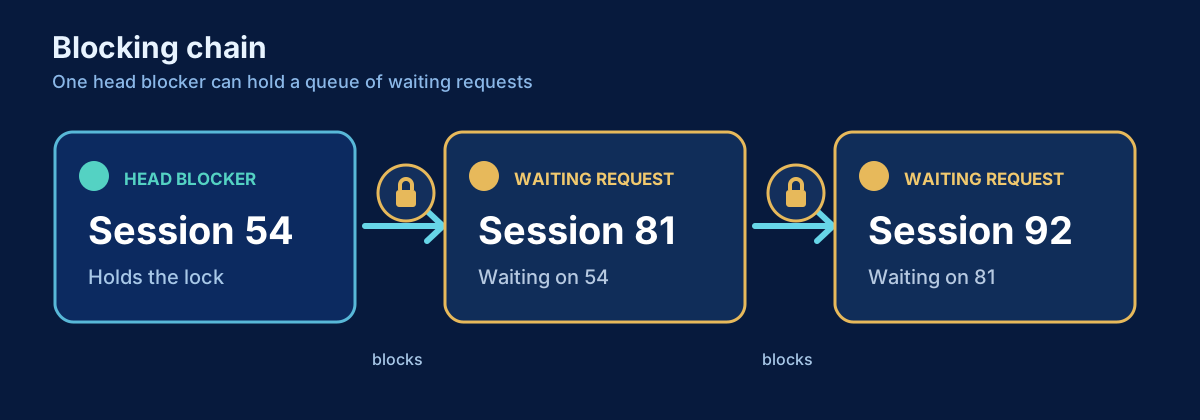
Blocking occurs when one session must wait for another session to release an incompatible lock. That coordination is fundamental to transactional correctness. The production problem is prolonged or unexpected blocking that exceeds the workload’s latency objective, creates a queue, or prevents log reuse.
A blocked request is usually the victim of the dependency, not the root cause. Ending blocked sessions reduces the visible queue but does not explain why the blocking transaction remains open.
Problem
Users report that SalesDb requests are timing out. Several sessions show LCK_M_* waits. You need to map who blocks whom, find the session at the head of the chain, and inspect its current or most recent batch and transaction age.
Quick diagnostic
This query lists active blocked requests. Run it more than once; a brief block that disappears can be normal, while a stable chain with increasing wait time is more concerning.
SELECT
    SYSDATETIMEOFFSET() AS captured_at,
    r.session_id AS blocked_session_id,
    r.request_id,
    r.blocking_session_id,
    DB_NAME(r.database_id) AS database_name,
    r.wait_type,
    r.wait_time AS wait_time_ms,
    r.wait_resource,
    r.status,
    r.command,
    s.login_name,
    s.host_name,
    s.program_name
FROM sys.dm_exec_requests AS r
INNER JOIN sys.dm_exec_sessions AS s
    ON s.session_id = r.session_id
WHERE r.blocking_session_id > 0
ORDER BY r.wait_time DESC;
blocking_session_id is the immediate blocker. If session 81 blocks 92 while session 65 blocks 81, then 65 is the head blocker. Investigating only 81 misses the beginning of the dependency chain.
Query: show the blocking chain
The recursive query begins with blocked requests and walks upward through active blockers. It guards against cycles and caps recursion. It describes the current request graph; a sleeping head blocker is enriched later because it has no active request row.
;WITH blocking_chain AS
(
    SELECT
        r.session_id,
        r.blocking_session_id,
        r.database_id,
        r.wait_type,
        r.wait_time,
        r.wait_resource,
        0 AS chain_level,
        CAST(CONCAT('/', r.session_id, '/') AS varchar(max)) AS visited
    FROM sys.dm_exec_requests AS r
    WHERE r.blocking_session_id > 0

    UNION ALL

    SELECT
        blocker.session_id,
        blocker.blocking_session_id,
        blocker.database_id,
        blocker.wait_type,
        blocker.wait_time,
        blocker.wait_resource,
        chain.chain_level + 1,
        CAST(CONCAT(chain.visited, blocker.session_id, '/') AS varchar(max))
    FROM blocking_chain AS chain
    INNER JOIN sys.dm_exec_requests AS blocker
        ON blocker.session_id = chain.blocking_session_id
    WHERE chain.visited NOT LIKE CONCAT('%/', blocker.session_id, '/%')
)
SELECT DISTINCT
    chain.chain_level,
    chain.session_id,
    NULLIF(chain.blocking_session_id, 0) AS blocking_session_id,
    DB_NAME(chain.database_id) AS database_name,
    session_info.login_name,
    session_info.host_name,
    session_info.program_name,
    chain.wait_type,
    chain.wait_time AS wait_time_ms,
    chain.wait_resource
FROM blocking_chain AS chain
INNER JOIN sys.dm_exec_sessions AS session_info
    ON session_info.session_id = chain.session_id
ORDER BY chain.chain_level, chain.session_id
OPTION (MAXRECURSION 32);
Because multiple blocked leaves may converge on the same blocker, DISTINCT removes repeated chain nodes. It does not aggregate counters. The highest chain level reached from a leaf is not by itself a severity score; focus on sessions that block others and have no positive blocker of their own.
Query: inspect the head blocker
Set the identified head session once. This query works for an active or sleeping session and exposes transaction age and its current or most recent text.
DECLARE @HeadBlockerSessionId int = 65;

SELECT
    s.session_id,
    s.status AS session_status,
    s.login_name,
    s.host_name,
    s.program_name,
    DB_NAME(COALESCE(r.database_id, s.database_id)) AS database_name,
    r.status AS request_status,
    r.command,
    r.wait_type,
    r.cpu_time AS cpu_time_ms,
    r.logical_reads,
    r.writes,
    s.open_transaction_count,
    at.transaction_begin_time,
    DATEDIFF(second, at.transaction_begin_time, SYSDATETIME()) AS transaction_age_seconds,
    sql_text.text AS current_or_most_recent_batch
FROM sys.dm_exec_sessions AS s
LEFT JOIN sys.dm_exec_requests AS r
    ON r.session_id = s.session_id
LEFT JOIN sys.dm_exec_connections AS c
    ON c.session_id = s.session_id
LEFT JOIN sys.dm_tran_session_transactions AS st
    ON st.session_id = s.session_id
LEFT JOIN sys.dm_tran_active_transactions AS at
    ON at.transaction_id = st.transaction_id
OUTER APPLY sys.dm_exec_sql_text(COALESCE(r.sql_handle, c.most_recent_sql_handle)) AS sql_text
WHERE s.session_id = @HeadBlockerSessionId;
How to read the result
Lock waits start with LCK_M_; the suffix describes the requested lock mode. The wait resource can identify a database, object, page, key, or metadata resource, but decoding it is a step toward the locked operation, not an automatic fix. Determine the statements, transaction boundaries, isolation level, affected rows, and index access paths.
An active head blocker may be doing legitimate work. A sleeping head blocker with an old open transaction is particularly important because the client may have stopped sending work without committing or rolling back. The most recent batch provides a clue but may not be the statement that acquired every retained lock.
What the result may mean
Long transactions, large updates, unselective predicates, scans that touch more keys, user interaction inside a transaction, and missing commit/rollback paths can all extend blocking. Poor indexing can increase the number and duration of locked resources, but adding an index is not automatically the correct response. Isolation-level changes alter consistency semantics and should be architectural decisions, not incident shortcuts.
Deadlocks are different. In a deadlock, sessions form a cycle and SQL Server chooses a victim so another transaction can continue. Ordinary blocking is a line or tree of waiting that can persist. Investigate deadlocks with deadlock graphs; do not expect this snapshot alone to reconstruct a deadlock that already ended.
What to check next
Inspect the head blocker’s plan, transaction code, and application ownership. Check how many rows it changes, whether predicates are selective, and whether errors can bypass rollback. For recurring incidents, capture blocked-process reports or an appropriate Extended Events session so the evidence survives completion.
Common mistakes
- Killing the blocked session while leaving the head transaction open.
- Assuming all blocking is abnormal and weakening isolation without requirements analysis.
- Reading one snapshot without measuring how long the condition persists.
- Treating
most_recent_sql_handleas definitive proof of the statement holding every lock. - Using
NOLOCKas a universal solution despite inconsistent and missing results. - Confusing a blocking chain with a deadlock cycle.
Production notes and the risk of KILL
KILL is not a diagnostic query. Ending a head blocker rolls back its open transaction, and rollback can take as long as—or longer than—the original work while continuing to hold locks. It can also interrupt a critical business operation. If termination is necessary to protect availability, verify the session identity again, coordinate with the owner, capture evidence, and plan for rollback monitoring.
DMV output is transient and permissions vary by SQL Server version. Persist timestamped samples securely. A durable solution normally reduces transaction scope or duration, corrects application transaction handling, improves the accessed plan, or changes concurrency design while preserving the required consistency.
Related content
SQL Server
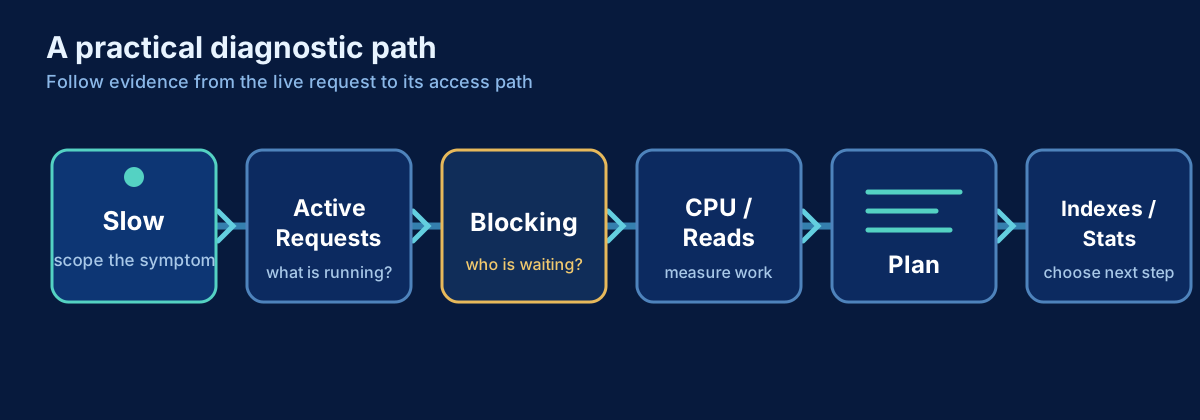
SQL Server Is Slow: A Practical Troubleshooting Workflow
A production-first workflow for turning a vague SQL Server slowdown into evidence, a likely cause, and a safe next step.
SQL Server
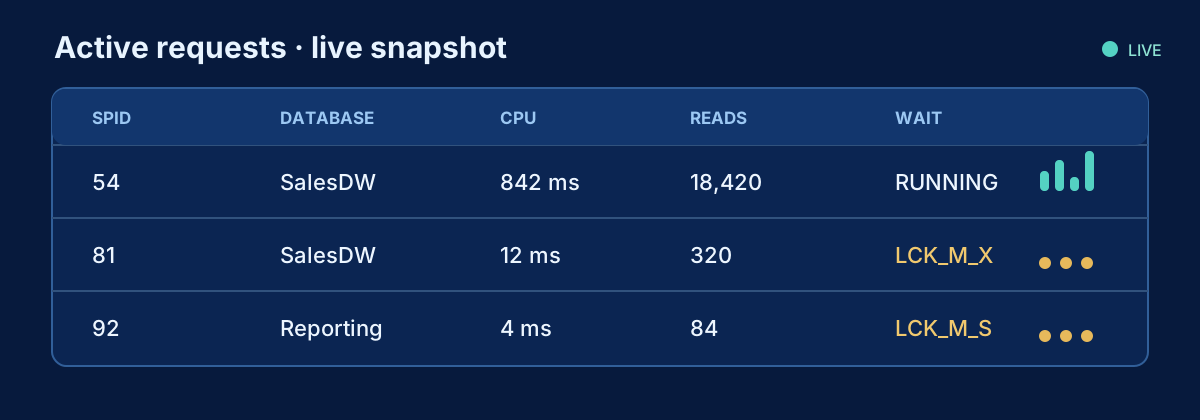
How to Find What Is Running in SQL Server Right Now
A production-safe DMV query for active SQL Server requests, including statement text, identity, resource use, waits and blocking.
SQL Server
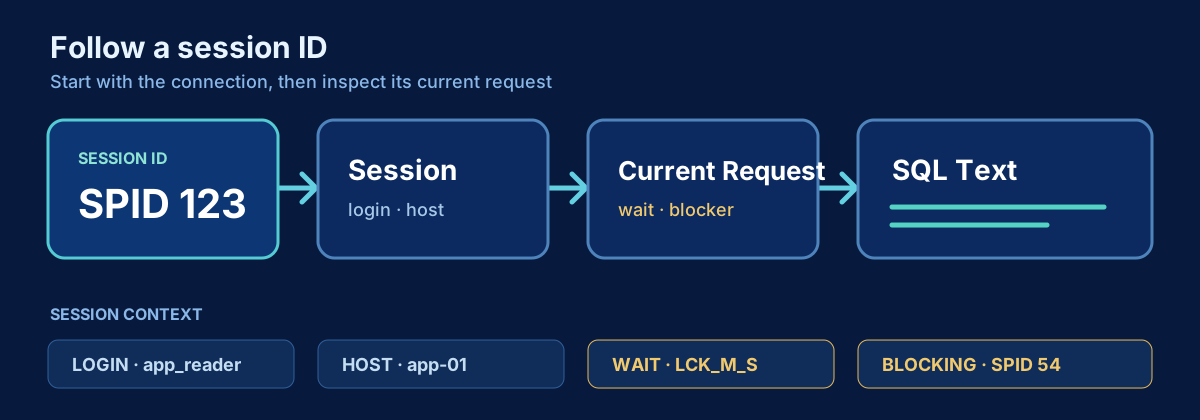
How to Get a SQL Server Session ID and See What It Is Doing
Find your SQL Server session ID, investigate another session, and inspect its request, SQL text, waits, blocking and open transaction state.